/the-game/pager
The 📟 tab is the chat surface for the game. It has two rooms and a command line. No notifications, no achievement claims — just messages and commands.
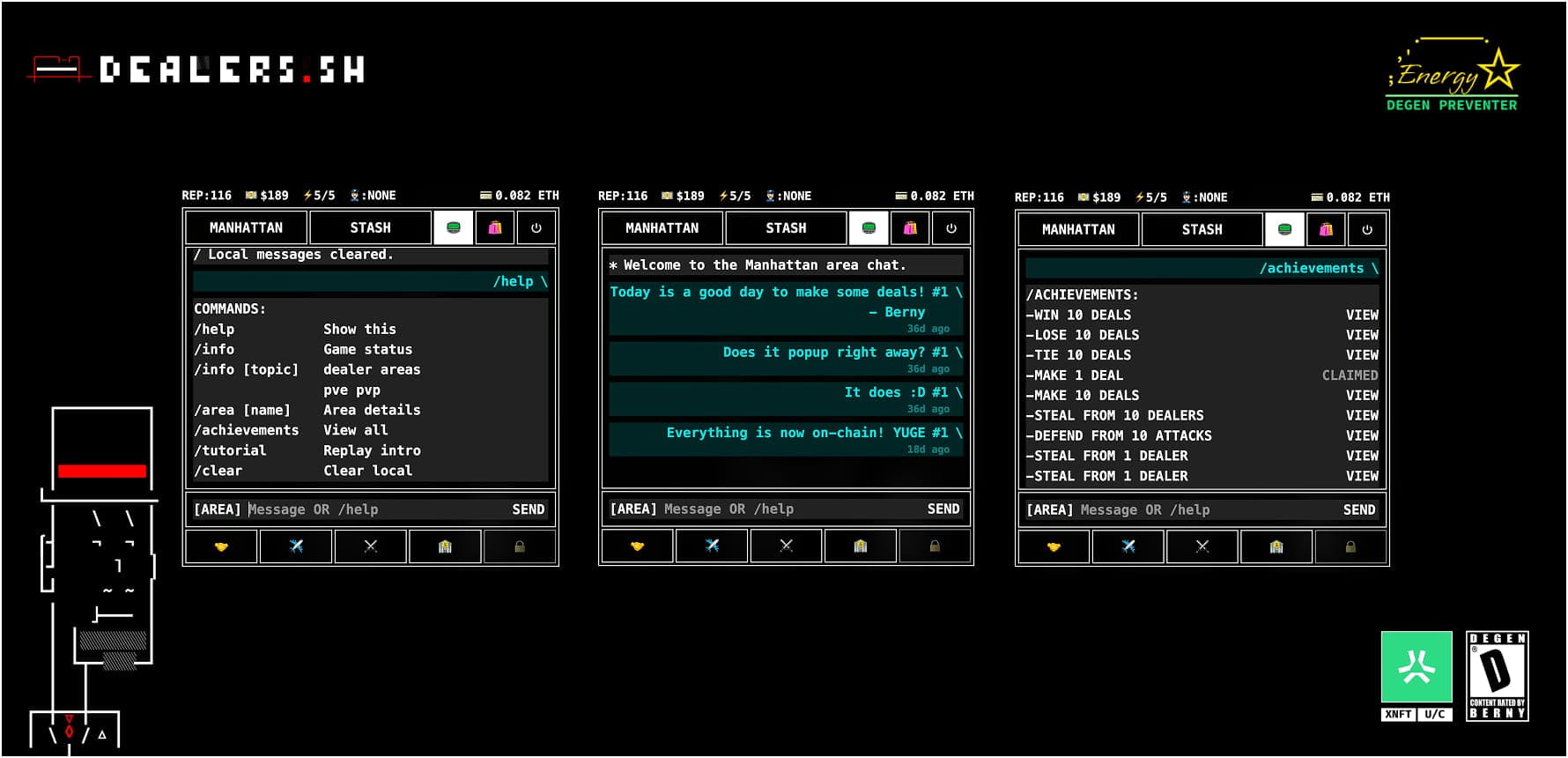
The two rooms
A toggle in the chat input cycles between AREA and WORLD.
- AREA is the per-area room. Only dealers currently in the same area as you can see what you post, and you only see what they post. Area chat is disabled in Safe Houses and Jail.
- WORLD is the global room. Everyone in the game sees it.
Each message is posted on chain. Messages persist on the room contract until they fall out of the circular buffer.
Commands
Anything you type starting with / is treated as a command instead of a chat message. Commands run locally and show their output only to you. The pager is the canonical reference for live game data — areas, achievements, ranks — and the docs do not duplicate those tables.
| Command | What it does |
|---|---|
/help | Show the command menu. |
/info | Overall game status (jail rules, breakout chance, mint totals). |
/info dealer | Your dealer’s current stats, rep tier, and active boost. |
/info areas | Overview of all areas. |
/info pve | How PVE resolves. |
/info pvp | How PVP resolves. |
/area [name] | Details for a specific area, including drugs sold there. |
/leaderboard [pve|pvp] | Top dealers by reputation or infamy. |
/rank | Your dealer’s position in the rankings. |
/achievements | Full achievement catalogue. |
/jackpot | Your pending heist jackpot winnings, with a claim button. |
/fastplay | Enable or refresh the session key, so actions stop re-prompting your wallet each time. |
/tutorial | Replay the in-game intro. |
/sound on|off | Toggle the game sound. |
/png | Save your dealer’s art as a PNG image. |
/clear | Clear the local chat history. |